
Advanced CSS · 3 min read
Animations and Transitions
Transitions vs keyframes, timing functions, composited properties for 60fps, and respecting reduced motion.
- A transition animates between two states when a property changes (hover, a class toggle).
- A keyframe animation runs a timeline you define, can loop, and needs no state change.
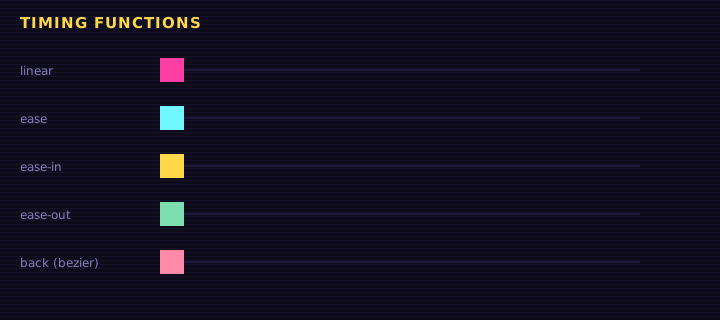
Transitions
css
.button {
  transition: transform 150ms ease-out, background-color 150ms;
}
.button:hover { transform: translateY(-2px); }
.button:active { transform: translateY(1px); }
Never write transition: all: it animates properties you did not intend and costs performance.
Keyframes
<h1 class="glitch" data-text="LOADING">LOADING</h1>
<div class="bar"><span></span></div>
<button class="press">Mint</button>
<label><input type="checkbox" id="rm"> Simulate reduced motion</label>
Edit this example in the Playground.
Notice that the loading bar animates transform: scaleX(), not width.
Performance: animate transform and opacity
The browser renders in stages: style → layout → paint → composite.
| Animating | Triggers | Cost |
|---|---|---|
width, height, top, margin | layout + paint + composite every frame | High |
background-color, box-shadow | paint + composite | Medium |
transform, opacity | composite only (often on the GPU) | Low |
So move things with translate(), grow them with scale(), and fade them with opacity.
Respect reduced motion
Some people get dizzy or nauseous from motion. The OS setting prefers-reduced-motion: reduce is your cue to remove large movement. Every animated diagram on this site honours it.
Animating from JavaScript
The Web Animations API gives you the keyframe engine with promises:
js
const anim = el.animate(
  [{ transform: "scale(1)" }, { transform: "scale(1.2)" }, { transform: "scale(1)" }],
  { duration: 300, easing: "ease-out" }
);
await anim.finished;
Summary
Use transitions for state changes and keyframes for timelines. Animate only transform and opacity for smooth 60fps, pick easing deliberately, and always provide a reduced-motion path.
Saved in this browser.