
JavaScript · 3 min read
Async JavaScript and Fetch
Understand asynchronous code, promises, and async/await, and load real data from APIs with fetch.
Some tasks take time: loading data from a server, waiting for a timer, reading a file. JavaScript does not freeze while it waits. Instead, it starts the task and continues, then handles the result when it is ready. This is asynchronous (async) code.
Timers: a first taste
js
console.log("1. Start");

setTimeout(() => {
  console.log("3. Runs after 1 second");
}, 1000);

console.log("2. End");
The output order is 1, 2, 3: the timer's callback runs later, even though it appears in the middle.
Promises
A promise is an object representing a value that will be available later. It can be:
- pending: still working
- fulfilled: finished successfully, with a value
- rejected: failed, with an error
js
function wait(ms) {
  return new Promise((resolve) => setTimeout(resolve, ms));
}

wait(500)
  .then(() => console.log("Half a second later"))
  .catch((error) => console.error(error));
async and await
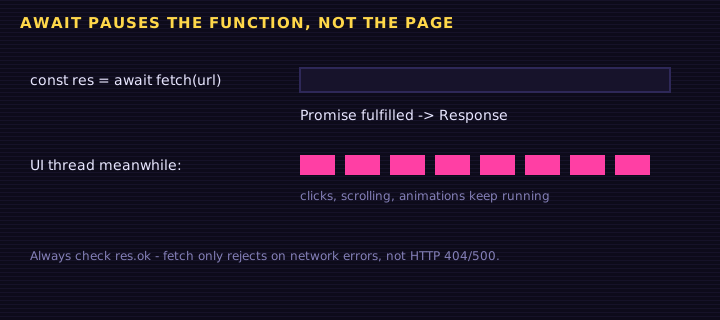
async/await lets you write async code that reads like normal, top-to-bottom code:
js
async function run() {
  console.log("Waiting...");
  await wait(1000);          // pause this function until the promise settles
  console.log("Done!");
}
run();awaitcan only be used inside anasyncfunction (or at the top level of a module).- An
asyncfunction always returns a promise.
Handling errors
Use try...catch around await:
js
async function safeRun() {
  try {
    await somethingThatMightFail();
  } catch (error) {
    console.error("It failed:", error.message);
  } finally {
    console.log("Runs either way");
  }
}
Fetching data from an API
fetch requests data from a URL and returns a promise:
js
async function loadUser() {
  try {
    const response = await fetch("https://jsonplaceholder.typicode.com/users/1");

    if (!response.ok) {
      throw new Error("HTTP error " + response.status);
    }

    const user = await response.json(); // parse JSON body into an object
    console.log(user.name);
  } catch (error) {
    console.error("Could not load user:", error);
  }
}

loadUser();Sending data
js
const response = await fetch("/api/progress", {
  method: "POST",
  headers: { "Content-Type": "application/json" },
  body: JSON.stringify({ lesson: "async", done: true }),
});Try it: loading data with a spinner
This example loads a random quote from a public API. If the network is not available it falls back to a built-in list, so it always works.
<div class="box">
<p id="quote">Press the button to load a quote.</p>
<button id="load">Load quote</button>
</div>
Edit this example in the Playground.
Running tasks in parallel
js
const [users, posts] = await Promise.all([
  fetch("/api/users").then((r) => r.json()),
  fetch("/api/posts").then((r) => r.json()),
]);
Promise.all waits for all promises together, which is faster than awaiting them one by one.
Summary
- Async code starts a task and handles the result later without freezing the page.
- Promises are pending, fulfilled, or rejected; handle them with
.then/.catch. async/awaitmakes async code read top to bottom; wrap it intry...catch.fetchloads data; checkresponse.okand parse withresponse.json().
Saved in this browser.